
BLOG
When the Office Floods, Does Your Business Stop Too?
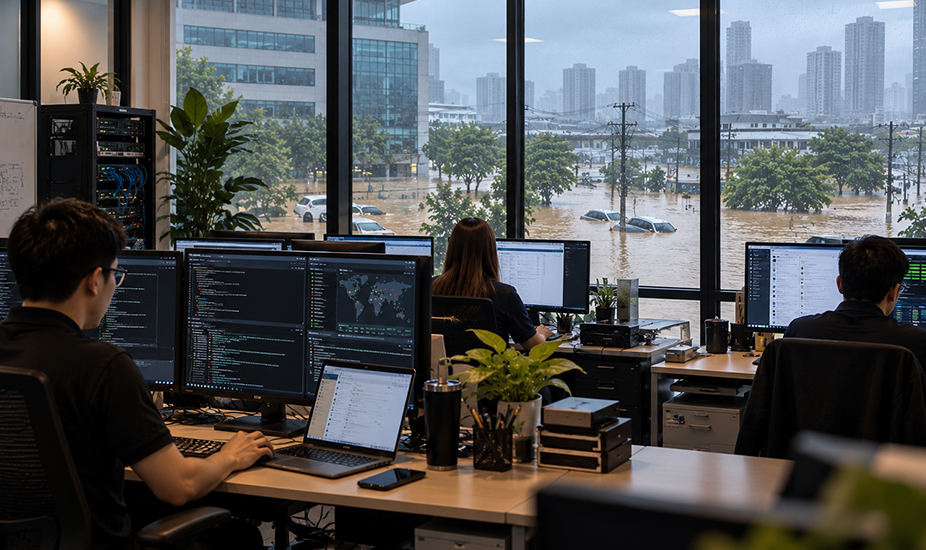
The floods that have swept across Thailand this month are a reminder of something every business owner knows but rarely plans for: the office is not guaranteed to be there tomorrow.
As of 1 October 2026, the Department of Disaster Prevention and Mitigation reported flooding in 30 provinces and Bangkok, affecting more than 1.17 million households and over 3.3 million people (Nation Thailand). A day later, the Ministry of Industry’s Crisis Management Centre had counted 4,216 affected businesses across 55 provinces, 4,006 of them SMEs, with preliminary damage of THB 147.84 million (Nation Thailand, 4 October 2026). Bangkok had the most affected businesses, followed by Samut Prakan, Prachin Buri, Rayong and Pathum Thani. The Industry Minister said around 95% of the businesses surveyed need financial assistance.
Our thoughts are with everyone dealing with the water right now. Relief schemes are being put in place, including SME D Bank plans to pause loan repayments for affected businesses. This article is for the weeks after, and for every business owner who has looked at the news and quietly wondered: if that were my office, how long would we be closed?
Water damage is only half of the cost
When a business floods, the visible losses are physical: stock, furniture, machinery, vehicles. They are painful but they are understood, and they are usually what insurance is built around.
The losses that keep a business closed for longer are often invisible. The accounts server in the ground-floor back office. The external backup drive sitting on the shelf next to it. The NAS box holding five years of customer files. The desktop PC that runs the only copy of the stock system. When water reaches those, the problem is no longer cleaning up. It is rebuilding the business’s memory.
We see the same pattern every time disaster recovery is tested for real. The business that kept its only backup in the same building as its only server finds out they were one copy, not two. The business that has backups but has never restored one finds out the job stopped running months ago. The business that thought everything was in the cloud finds out that one critical system, usually accounting or production, still lives on a single machine in the office.
The four questions that decide how fast you reopen
Disaster recovery sounds technical, but for an SME owner it comes down to four plain questions. If you can answer all four confidently, you are in better shape than most Thai businesses.
Where is your data, physically? List every place your business data lives: servers, NAS boxes, desktop PCs, laptops, cloud services, phones. Anything that exists only inside the office is exposed to whatever happens to the office.
Is there a copy somewhere else? The long-standing rule of thumb is three copies of important data, on two different types of storage, with one copy off-site. For flood risk, “off-site” means a different location that will not flood at the same time, which in practice usually means a cloud or data-centre copy rather than a drive at the owner’s house down the road.
When did you last restore from it? A backup that has never been restored is a hope, not a plan. Restore tests should happen on a schedule, and someone should check that the restored files open and the systems actually work.
How long can you afford to be down, and how much data can you afford to lose? These are the two numbers IT professionals call RTO (recovery time objective) and RPO (recovery point objective). If your answer is “one day of downtime and no more than a few hours of lost transactions”, your backup and recovery setup has to be built to deliver that. Most SMEs have never set these numbers, which means their IT was never designed to meet them.
What the floods expose about Thai SME IT
Thailand’s 2011 floods taught large manufacturers hard lessons about supply-chain and site resilience, and many of the big industrial estates invested heavily afterwards. Smaller businesses often did not. Fifteen years on, a typical Thai SME still runs on a mix of cloud services and a few local machines nobody has looked at closely.
The most common weak points we find:
The single server. One machine runs file sharing, the accounting package and sometimes email. It sits in a cupboard, often on the floor. If it is lost, everything stops at once.
Backups in the same room. A USB drive or NAS plugged into that same server protects you against a failed hard disk. It does nothing against water, fire or theft, because whatever destroys the server destroys the backup too.
No documentation. The person who set everything up has left, or is the owner’s nephew who is busy. Nobody has a written list of systems, passwords, licences and suppliers, so rebuilding takes days of detective work before any real recovery starts.
Staff who can’t work remotely. When the office is closed or the roads are flooded, can your team log in from home and carry on? If remote access, laptops and multi-factor authentication were never set up, the answer is no, even if the data survived.
Rushed recovery creates new risk. In the scramble to get running again, businesses reuse old passwords, share admin logins over LINE and plug in second-hand equipment. Attackers know disruption is when defences drop. A recovery done in a hurry can leave holes that are exploited months later.
What good looks like for an SME
You do not need an enterprise disaster recovery site. You need a small number of fundamentals, set up properly and checked regularly.
Off-site, automated backups. Every important system is backed up automatically to a location away from the office, with at least one copy that ransomware or a careless deletion cannot overwrite.
Scheduled recovery testing. Restores are tested on a calendar, not during a crisis, and the results are written down.
Agreed recovery targets. The business has decided how long each key system can be down and how much data it can lose, and the IT setup is designed to meet those targets.
Critical systems off the floor and, where possible, out of the building. Moving accounting, files and email to well-run cloud services removes the single point of failure. Any hardware that must stay on-site goes up high, not in the ground-floor cupboard.
Remote working that is ready before you need it. Laptops, secure remote access and multi-factor authentication are in place and staff have used them, so a closed office does not mean a closed business.
A one-page recovery plan. Who to call, which systems come back first, where the passwords and licences are kept, and how staff will be told what to do. Keep a copy somewhere other than the office.
Doing it yourself or handing it off
A business owner can set some of this up with time and patience. The hard part is not the initial setup. It is the discipline: checking backup reports every week, running restore tests every quarter, updating the plan when systems change. In a busy SME that discipline is usually the first thing to slip, and nobody notices until the day it matters.
This is where a managed service provider earns its fee. HumanIT’s Gold package (THB 2,500 per device per month, or THB 2,000 on annual billing) includes backup integration with recovery testing, 24/7 SOC-lite monitoring and alerting, a 4-hour response during business hours, and user lifecycle management. For businesses that need formal continuity planning, our Platinum package (THB 3,800 per device per month, or THB 3,000 on annual billing) adds robust backup and disaster recovery with defined RTO and RPO targets, incident response, on-site emergency visits and a response time under one hour for critical issues. All packages require a minimum of ten managed devices.
Set that against the cost of a week without invoicing, a lost customer database, or emergency IT contractors called in during a regional crisis when every one of them is fully booked.
A practical next step
If you do nothing else this month, do these three things. First, walk around your office and write down every device that holds business data, and mark which ones exist only on site. Second, ask whoever manages your backups where the off-site copy is and when it was last restored. Third, decide with your management team how many days your business could survive without its systems, and check whether your current setup could get you back inside that window.
If you are dealing with flood damage right now, focus on safety first. When you are ready to recover, do not rush systems back online on old passwords and borrowed equipment. A careful restart is faster than a second incident.
Frequently asked questions
What is IT disaster recovery for a small business?
It is the plan and setup that lets your business get its data and systems back after a serious event such as a flood, fire, theft or ransomware attack. For an SME, that usually means automated off-site backups, regular restore testing, agreed recovery targets and a simple written plan.
Is cloud storage enough to protect us from floods?
It removes the risk of losing data stored in the office, which is a big step. But many businesses still have one or two critical systems running locally, and cloud services themselves need to be backed up against accidental deletion, account compromise and ransomware. Check that every important system is covered, not just files.
How often should we test our backups?
At least quarterly for critical systems, and after any significant change to your IT. A test means actually restoring data and confirming it opens and works, not just checking that the backup job reported success.
What are RTO and RPO?
RTO (recovery time objective) is how long a system can be down before it seriously harms the business. RPO (recovery point objective) is how much data, measured in time, you can afford to lose. Setting these two numbers tells you what kind of backup and recovery you actually need.
Does HumanIT help businesses recover after a disaster?
Yes. Our Gold package includes backup integration and recovery testing, and Platinum adds full disaster recovery with defined RTO and RPO targets, incident response and on-site emergency support. We can also review your current setup and tell you honestly where the gaps are.
Want to know whether your business would survive losing the office? Call Eve on +66 89 354 9916 or compare packages at humanit.asia/pricing-and-plans.

